
MFA, or Multi-Factor Authentication, is becoming a must-have for anyone who wants to keep their online accounts safe. With cyber threats on the rise, understanding how MFA works and why it matters is essential. In this guide, we’ll break down what MFA is, the different methods available, and how you can implement it effectively to protect yourself and your information.
Key Takeaways
- MFA adds an extra layer of security beyond just a password.
- There are various methods of MFA, including SMS codes, apps, and biometrics.
- Using MFA can significantly lower the chances of data breaches.
- Some users might resist changing their habits to include MFA.
- Familiarising yourself with MFA can help you comply with Australian laws and regulations.
What Is MFA Multi Factor Authentication?
Definition of MFA
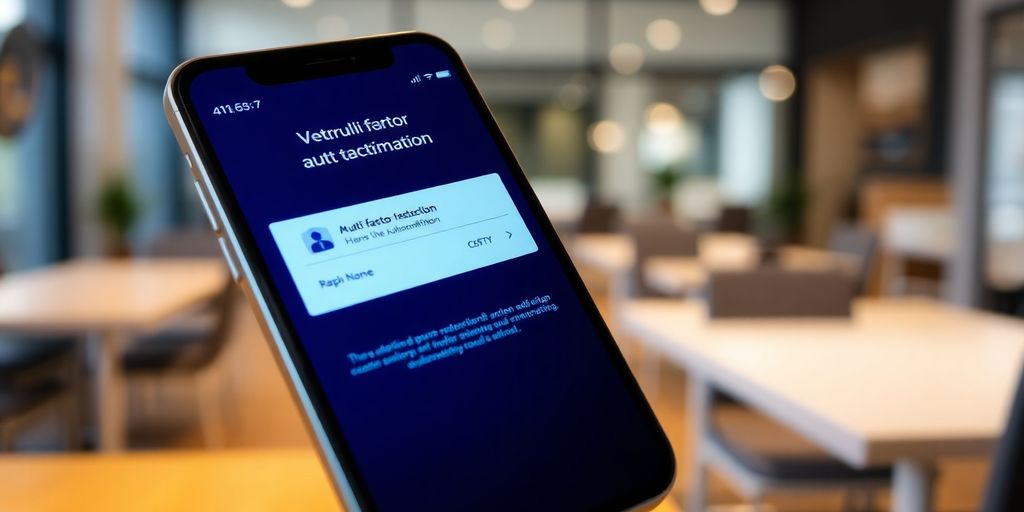
Okay, so what exactly is MFA? Basically, it’s a security system that requires more than one method to verify your identity when you’re logging into something. Think of it like having multiple locks on your front door. One lock (your password) might be easy to pick, but if you have two or three, it becomes way harder for someone to break in. MFA adds extra layers of protection beyond just your username and password. It’s all about making it tougher for hackers to get into your accounts, even if they somehow manage to snag your password.
How MFA Works
So, how does this MFA thing actually work? Well, after you enter your username and password (that’s the first factor – something you know), MFA kicks in and asks for something else. This "something else" can be one of a few things:
- Something you have: Like a code sent to your phone via SMS or generated by an authenticator app.
- Something you are: This is where biometrics come in, like your fingerprint or facial recognition.
- Something you know: Although less common, this could be a PIN or answering a security question.
The system checks if the second factor is correct. If it is, you’re in! If not, access is denied. It’s a simple but effective way to seriously boost your security.
Importance of MFA in Cybersecurity
In today’s world, MFA isn’t just a nice-to-have; it’s pretty much essential. Data breaches are happening all the time, and passwords alone just aren’t cutting it anymore. Think about it – how many different passwords do you have? And how many of them are actually strong and unique? Probably not enough! MFA adds a critical layer of defence against all sorts of cyber threats, including:
- Phishing attacks: Even if you accidentally give away your password in a dodgy email, the hacker still needs that second factor.
- Password reuse: If you use the same password on multiple sites (which, let’s be honest, most of us do), and one of those sites gets hacked, MFA can stop the hackers from getting into your other accounts.
- Brute-force attacks: Hackers use programmes to try millions of password combinations. MFA makes these attacks much harder to pull off.
Implementing MFA is one of the most effective steps you can take to protect your online accounts and personal information. It significantly reduces the risk of unauthorised access and data breaches, making it a crucial component of any robust cybersecurity strategy.
Types of MFA Methods Available
So, you’re thinking about beefing up your security with multi-factor authentication (MFA)? Good on ya! There’s a bunch of different ways to do it, and some are definitely easier to live with than others. Let’s run through some common options.
SMS and Email Verification
This is probably the most common type of MFA, and you’ve almost certainly used it. Basically, when you try to log in, the system sends a code to your phone via SMS or to your email address. You then enter that code to prove it’s really you. It’s pretty straightforward, but it’s also got some downsides.
- Pros: Easy to set up, most people have a phone or email.
- Cons: SMS can be intercepted, email can be hacked, and it relies on having network coverage. Plus, it can be a bit slow waiting for the code to arrive.
Authenticator Apps
Authenticator apps like Google Authenticator, Authy, or Microsoft Authenticator generate time-based one-time passwords (TOTP). You link the app to your account, and it spits out a new code every 30 seconds or so. It’s generally more secure than SMS because the codes are generated offline and aren’t sent over a network.
- Pros: More secure than SMS, works offline.
- Cons: You need to install an app, and if you lose your phone, you could be locked out of your accounts. Make sure you have backup codes!
Biometric Authentication
This uses something unique about you – like your fingerprint, face, or even your voice – to verify your identity. It’s becoming more common on phones and laptops, and some websites and apps are starting to use it too. It’s pretty convenient, but it’s not foolproof.
- Pros: Very convenient, hard to fake.
- Cons: Can be bypassed, privacy concerns, and sometimes it just doesn’t work properly (especially if you’ve got wet hands!).
Choosing the right MFA method really depends on your needs and risk tolerance. SMS is better than nothing, but authenticator apps or biometrics are generally more secure. Think about what you’re protecting and how much hassle you’re willing to put up with.
Benefits of Implementing MFA
Enhanced Security
Okay, so let’s be real, the main reason anyone bothers with MFA is for better security. It’s like adding an extra deadbolt to your front door; even if someone gets the key, they still can’t just waltz in. Think about it: passwords get stolen all the time. MFA makes it way harder for hackers to actually use those stolen passwords. It’s not foolproof, but it seriously ups the difficulty for anyone trying to break into your accounts. It’s a pretty simple equation: more security layers = less chance of getting hacked. And in today’s world, that’s a win.
Reduced Risk of Data Breaches
Data breaches are a massive headache, not just for big companies, but for everyone involved. Imagine your personal info – bank details, address, all that stuff – getting leaked online. Not fun, right? MFA can significantly lower the risk of that happening. If a hacker manages to snag someone’s login details, they still need that second factor – like a code from your phone – to actually get in. This makes large-scale data breaches much harder to pull off. It’s a preventative measure, sure, but it’s one that can save a whole lot of trouble down the line. Plus, it’s way cheaper than dealing with the fallout from a breach.
User Trust and Confidence
People are increasingly aware of online security threats, and they want to know that the services they use are taking it seriously. Offering MFA is a great way to show users that you care about protecting their data. It builds trust and gives them more confidence in your platform. Think about it: if you know a website has MFA enabled, you’re probably going to feel a bit safer using it, right? It’s a simple thing, but it can make a big difference in how people perceive your business. It’s all about giving users that extra peace of mind.
Implementing MFA isn’t just about ticking a box; it’s about creating a culture of security. When users see that you’re taking proactive steps to protect their data, they’re more likely to trust you and continue using your services. It’s an investment in your reputation and your long-term success.
Challenges and Limitations of MFA
MFA isn’t a silver bullet, mate. While it boosts security heaps, there are a few potholes to watch out for. It’s not always smooth sailing, and understanding the downsides is just as important as knowing the upsides.
User Resistance to Change
Getting people to actually use MFA can be a real pain. A lot of folks just don’t like the extra step. They see it as a hassle, slowing them down when they’re just trying to get things done. You’ll hear complaints like:
- "It takes too long to log in!"
- "I keep forgetting my phone/token!"
- "Why do I need this anyway?"
Convincing everyone that the added security is worth the minor inconvenience is a constant battle. Training and clear communication are key, but even then, you’ll probably have a few stragglers who resist kicking and screaming.
Potential for Technical Issues
MFA relies on technology, and technology sometimes goes belly up. Think about it:
- What happens if the authentication server goes down?
- What if a user loses their phone or their authenticator app stops working?
- What if there are compatibility issues with certain devices or browsers?
These technical glitches can lock users out of their accounts, causing frustration and potentially disrupting business operations. You need to have backup plans and support systems in place to deal with these inevitable hiccups. It’s not just about setting up MFA; it’s about maintaining it and troubleshooting problems as they arise.
Accessibility Concerns
MFA can create barriers for some users, especially those with disabilities. For example:
- SMS verification might not be accessible to people who are deaf or hard of hearing.
- Biometric authentication might not work for people with certain physical impairments.
- Authenticator apps can be difficult to use for people with cognitive disabilities.
It’s important to choose MFA methods that are inclusive and cater to a diverse range of users. Offering multiple options and providing alternative authentication methods can help ensure that everyone can access their accounts securely. Ignoring accessibility concerns can lead to discrimination and exclusion, which is definitely not a good look.
Implementing MFA is a great step, but it’s not a set-and-forget solution. You need to be aware of the challenges, address user concerns, and have contingency plans in place to deal with technical issues and accessibility barriers. Otherwise, you might end up creating more problems than you solve.
Best Practises for Using MFA
Choosing the Right MFA Method
Okay, so you’re thinking about MFA, which is great. But not all MFA is created equal, right? What works for your mate Dave down the street might be a total pain for you. Think about what you actually do online. Are you mostly on your phone? Maybe an authenticator app is the go. Are you hopeless with tech? SMS might be easier, even if it’s not the most secure. The best MFA method is the one you’ll actually use consistently.
Consider these points:
- How often do you access sensitive information?
- What devices do you use most?
- How comfortable are you with different technologies?
Regularly Updating Authentication Methods
Right, so you’ve got MFA set up. Good on ya! But don’t just set it and forget it. Things change, mate. You get a new phone, your email address changes, or maybe you just want to use a different app. Keep your recovery options up-to-date, too. If you lose your phone and your recovery email is ancient, you’re in a world of hurt. It’s a bit like changing the oil in your car – a bit of a pain, but saves you a lot of grief down the road.
Educating Users on MFA
Look, MFA is only as good as the people using it. If your staff (or your family) don’t understand why they’re doing it, they’re going to find ways around it. Explain the risks of not using MFA – data breaches, identity theft, the whole shebang. Show them how to use it properly, and make sure they know what to do if something goes wrong. A little bit of training can go a long way. Plus, if they understand the ‘why’, they’re less likely to whinge about the extra step.
It’s important to create a culture of security awareness. Make sure everyone understands their role in protecting sensitive information. Regular reminders and training sessions can help keep MFA top of mind and ensure everyone is using it correctly.
MFA Multi Factor Authentication in Australian Regulations
Compliance with Australian Privacy Laws
Australian privacy laws, particularly the Privacy Act 1988 and the Australian Privacy Principles (APPs), place significant obligations on organisations to protect personal information. MFA plays a vital role in meeting these obligations by adding an extra layer of security to prevent unauthorised access to sensitive data. It’s not explicitly mandated in every scenario, but it’s increasingly seen as a necessary measure, especially when dealing with high-risk data or systems. Think about it – if a breach occurs because you didn’t implement reasonable security measures like MFA, you could face serious consequences under the Notifiable Data Breaches (NDB) scheme. Basically, you need to tell everyone affected, and that’s not a good look.
Industry Standards for MFA
Different industries in Australia have their own specific standards and guidelines regarding MFA. For example, the financial services sector often has stricter requirements due to the sensitive nature of financial data. APRA (Australian Prudential Regulation Authority) has guidelines that indirectly push for stronger authentication methods. Similarly, healthcare providers must adhere to standards that protect patient information, and MFA is a key component of that. It’s always a good idea to check what the specific requirements are for your industry, because they can vary quite a bit.
Government Recommendations
The Australian Cyber Security Centre (ACSC) actively promotes the use of MFA across all sectors. They provide guidance and recommendations on implementing MFA effectively. While not legally binding in every case, these recommendations are considered best practise and are often used as a benchmark for security. The ACSC’s Information Security Manual (ISM) is a great resource for understanding their recommendations. Ignoring these recommendations could leave you vulnerable and potentially non-compliant with broader privacy obligations. It’s like ignoring the speed limit – you might get away with it for a while, but eventually, you’ll probably get caught.
Implementing MFA isn’t just about ticking a box for compliance; it’s about genuinely protecting your data and your users. It shows you’re taking security seriously, which builds trust and reduces the risk of costly data breaches. It’s an investment in your organisation’s reputation and long-term security posture.
Future Trends in MFA Technology
Emerging Technologies in Authentication
Okay, so what’s next for MFA? It’s not like SMS codes are cutting edge anymore. We’re seeing some pretty interesting stuff pop up. For example, there’s a bigger push towards passwordless authentication. Think about using your phone’s built-in security features like facial recognition or fingerprint scanners to log into everything. It’s way more convenient, and potentially more secure than remembering a bunch of passwords.
Another thing is behavioural biometrics. This is where the system learns how you type, how you move your mouse, or even how you hold your phone. If something seems off, it might flag it as suspicious. It’s like having a super-sensitive security guard that knows you inside and out.
- Passwordless authentication
- Behavioural biometrics
- Hardware security keys becoming more user-friendly
The Role of AI in MFA
AI is starting to play a bigger role in MFA, and it’s only going to get bigger. AI can analyse login attempts in real-time and detect anomalies that a human might miss. For example, if someone is trying to log in from a weird location at an unusual time, the AI can flag it and require extra verification.
AI can also help to adapt the level of security based on the risk. If you’re just checking your email, it might not require MFA. But if you’re trying to transfer a large sum of money, it might require multiple forms of verification. It’s all about finding the right balance between security and convenience.
AI is being used to make MFA smarter and more adaptive. It can learn user behaviour, detect anomalies, and adjust security levels in real-time. This helps to improve both security and user experience.
Predictions for MFA Adoption Rates
I reckon we’re going to see MFA become pretty much standard across the board. It’s already common for banking and email, but it’ll spread to pretty much everything else. Social media, online shopping, even your smart fridge might end up needing MFA.
One thing that might slow down adoption is user resistance. People don’t always like having to jump through extra hoops to log in. But as the threats get more serious, and as MFA becomes more user-friendly, I think people will come around. Plus, companies will start making it mandatory anyway. It’s just too important to ignore.
Here’s a rough idea of where I think we’ll be:
| Year | Predicted MFA Adoption Rate | Reasoning |
|---|---|---|
| 2025 | 60% | Early adopters and regulated industries |
| 2027 | 80% | Wider awareness and increasing threats |
| 2030 | 95% | Near-universal adoption due to regulations |
As we look ahead, the future of Multi-Factor Authentication (MFA) technology is bright and full of exciting possibilities. We can expect to see smarter systems that make it easier for users while keeping their information safe. Innovations like biometric verification and AI-driven security measures will likely become more common, making online experiences both secure and user-friendly. To stay updated on these trends and learn more about how to protect your digital life, visit our website today!
Wrapping It Up
So, there you have it. Multi-Factor Authentication, or MFA, is a handy way to keep your online accounts safer. It might seem like a bit of a hassle at first, but trust me, it’s worth it. With all the stories about data breaches and hacks, taking that extra step to secure your info is smart. Whether you’re using an app, a text message, or even a fingerprint, MFA adds a layer of protection that can really make a difference. Just remember, it’s not foolproof, but it sure helps. So, next time you log in, consider turning on MFA if you haven’t already. Your future self will thank you!
Frequently Asked Questions
What is Multi-Factor Authentication (MFA)?
MFA is a security process that requires users to provide two or more verification factors to gain access to an account or system. This makes it harder for someone to access your information.
How does MFA work?
MFA works by combining different types of authentication methods. For example, you might enter your password and then receive a code on your phone that you also need to enter.
Why is MFA important for security?
MFA adds an extra layer of protection. Even if someone steals your password, they would still need the second factor to get into your account.
What are some common methods of MFA?
Common methods include receiving a text message or email with a code, using an app that generates codes, or using your fingerprint or face for identification.
Are there any downsides to using MFA?
Yes, some people find it annoying to have to use multiple steps to log in. There can also be technical problems, and not everyone has easy access to the necessary devices.
How can I make sure I’m using MFA effectively?
Choose a method that works best for you, keep your authentication methods up to date, and learn how to use MFA properly to stay safe online.