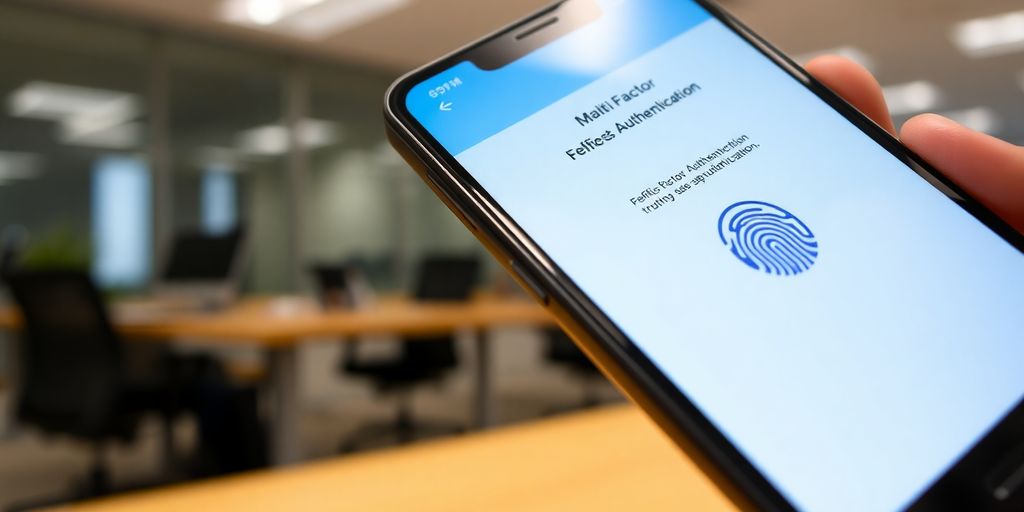
In 2025, understanding multi-factor authentication (MFA) is more important than ever for Australians. With cyber threats escalating, MFA has become a key player in safeguarding personal and organisational data. This guide will break down what MFA is, the different types, and how you can implement it effectively to keep your information secure.
Key Takeaways
- Multi-factor authentication adds extra layers of security to your accounts, making it harder for hackers to gain access.
- There are three main types of authentication factors: something you know (like a password), something you have (like a smartphone), and something you are (like a fingerprint).
- Implementing MFA is essential for compliance with Australian regulations and frameworks like the Essential Eight.
- Phishing-resistant MFA methods, such as passkeys, provide an extra level of security against common cyber threats.
- Staying updated on future trends in MFA, like passwordless authentication, can help you stay ahead in the cybersecurity game.
Understanding Multi-Factor Authentication
What Is Multi-Factor Authentication?
Okay, so what’s the deal with Multi-Factor Authentication (MFA)? Basically, it’s like having a few extra locks on your front door. Instead of just using a password (something you know), MFA makes you prove you are who you say you are using at least one other method. This could be something you have, like your phone, or something you are, like your fingerprint. It’s all about adding layers to keep the bad guys out.
Importance of Multi-Factor Authentication
Why bother with MFA? Well, passwords alone just aren’t cutting it anymore. Data breaches are happening all the time, and hackers are getting smarter. MFA makes it way harder for them to get into your accounts, even if they somehow figure out your password. Think of it as a shield against phishing, malware, and other nasty cyber threats. It’s a pretty simple step that can make a huge difference in keeping your personal and professional info safe. I reckon it’s worth the small hassle.
How Multi-Factor Authentication Works
So, how does MFA actually work? It’s pretty straightforward. You enter your username and password like normal. Then, the system asks for another form of verification. This could be a code sent to your phone via SMS, a notification from an authenticator app, or even a fingerprint scan. You enter that second factor, and boom, you’re in. If someone tries to log in from a device or location the system doesn’t recognise, they’ll need that second factor too. Without it, they’re locked out. It’s like a digital handshake that confirms you’re the real deal.
MFA is one of the simplest security controls to put in place, but it’s also one of the most effective ways to prevent data breaches. Each authentication layer requires a separate set of credentials, which makes it much harder for cybercriminals to compromise your accounts. It’s a no-brainer, really.
Types of Multi-Factor Authentication Methods
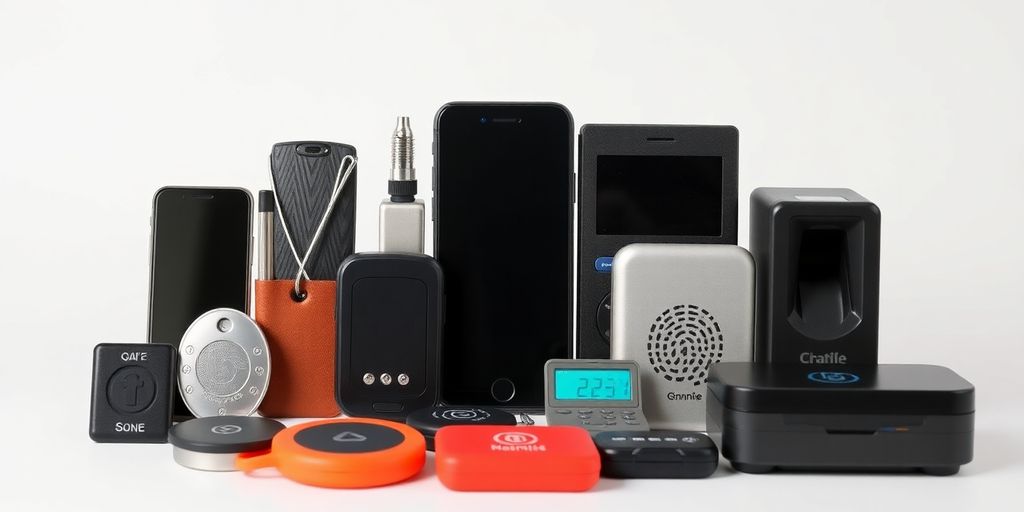
Alright, so you’re getting serious about security, which is awesome. Let’s break down the different types of multi-factor authentication (MFA) methods you’ll come across. It’s not just about getting a code on your phone; there’s actually a bit more to it than that.
Knowledge-Based Factors
This is the stuff you know. Think passwords, PINs, security questions – the things stored in your brain (or, let’s be honest, probably written down somewhere). It’s the most common, but also the most vulnerable if you’re using ‘password123’ or your pet’s name. Security questions used to be okay, but these days they’re too easily guessed or found online, so they’re not really recommended anymore.
Possession-Based Factors
This is where things get a bit more interesting. It’s all about something you have. This could be a physical token that generates a code, a smartphone with an authenticator app, or even a smart card. The idea is that even if someone knows your password, they can’t get in without the physical item. I’ve used a little key fob thing at work before, and it’s pretty simple once you get used to it.
Inherence-Based Factors
Now we’re talking about something you are. This is biometrics – your fingerprints, facial recognition, voice recognition, that sort of thing. It’s generally considered pretty secure because it’s difficult to fake (though not impossible, as we’ve seen in movies!). Most newer phones have fingerprint scanners, so you’re probably already using this without even thinking about it. It’s pretty convenient, I must say.
The key thing to remember is that the best MFA setups use factors from different categories. So, a password (something you know) plus a code from an app on your phone (something you have) is much stronger than just two different passwords (both something you know). It’s all about layering your security to make it as difficult as possible for the bad guys to get in.
Implementing Multi-Factor Authentication in Australia
Best Practises for Implementation
Okay, so you’re thinking about rolling out MFA across your organisation? Good on ya! It’s a ripper of a security measure. But like anything, there’s a right way and a wrong way to go about it. The key is to make it as painless as possible for your users while still keeping things secure.
Here’s a few things I reckon you should keep in mind:
- Start with the most sensitive accounts: Think your admins, finance team, and anyone dealing with customer data. Get them sorted first.
- Offer a variety of MFA methods: Not everyone’s gonna be keen on using the same thing. Give them options like authenticator apps, SMS codes (though maybe not the most secure), or even hardware tokens.
- Educate your users: Explain why you’re doing this and how it benefits them. No one likes change if they don’t understand it.
- Test, test, and test again: Before you roll it out to everyone, get a small group to test it out and iron out any kinks.
Implementing MFA isn’t just about ticking a box; it’s about creating a culture of security. Make sure everyone understands their role in keeping your organisation safe.
Common Challenges and Solutions
Right, so it’s not all sunshine and rainbows. You’re gonna hit a few snags along the way. Here’s a couple of common ones and how to deal with them:
- User resistance: People hate change, especially when it makes things a bit more complicated.
- Solution: Clear communication, training, and making the process as easy as possible.
- Lost or stolen devices: What happens when someone loses their phone with the authenticator app?
- Solution: Have a recovery process in place. Backup codes, alternative contact methods, or temporary access passes.
- Technical glitches: Things go wrong, it’s a fact of life.
- Solution: Have a dedicated support team ready to help users troubleshoot issues.
Regulatory Compliance Considerations
Now, let’s talk about the legal stuff. In Australia, there’s a growing emphasis on cybersecurity, and that includes MFA. While there isn’t one single law that mandates MFA for everyone, there are several regulations and frameworks that recommend or require it in certain situations.
For example, the Australian Signals Directorate’s (ASD) Essential Eight framework strongly recommends MFA, especially for government agencies and critical infrastructure providers. And if you’re dealing with personal information, the Privacy Act requires you to take reasonable steps to protect that data, which could include implementing MFA.
Here’s a quick rundown:
| Regulation/Framework | Relevance to MFA | IN AUSTRALIA, IT IS IMPORTANT TO IMPLEMENT MULTI-FACTOR AUTHENTICATION (MFA) TO PROTECT AGAINST CYBER THREATS. HERE ARE SOME BEST PRACTICES, CHALLENGES, AND REGULATORY CONSIDERATIONS FOR IMPLEMENTING MFA IN AUSTRALIA:
- BEST PRACTICES FOR IMPLEMENTATION:
- IDENTIFY AND PRIORITIZE ACCOUNTS AND RESOURCES THAT REQUIRE MFA.
- CHOOSE APPROPRIATE MFA METHODS BASED ON RISK ASSESSMENT AND USER NEEDS.
- PROVIDE CLEAR GUIDANCE AND TRAINING TO USERS ON HOW TO USE MFA.
- IMPLEMENT A ROBUST MFA ENROLLMENT AND RECOVERY PROCESS.
- REGULARLY REVIEW AND UPDATE MFA CONFIGURATIONS AND POLICIES.
- COMMON CHALLENGES AND SOLUTIONS:
- USER RESISTANCE: ADDRESS CONCERNS AND PROVIDE INCENTIVES FOR MFA ADOPTION.
- COMPATIBILITY ISSUES: ENSURE MFA SOLUTIONS ARE COMPATIBLE WITH EXISTING SYSTEMS.
- COST CONSIDERATIONS: EVALUATE THE COST OF DIFFERENT MFA SOLUTIONS AND CHOOSE ONE THAT FITS THE BUDGET.
- TECHNICAL COMPLEXITY: SEEK EXPERT ASSISTANCE FOR MFA IMPLEMENTATION AND MANAGEMENT.
- REGULATORY COMPLIANCE CONSIDERATIONS:
- PRIVACY ACT 1988: ENSURE MFA IMPLEMENTATION COMPLIES WITH PRIVACY PRINCIPLES.
- AUSTRALIAN CYBER SECURITY CENTRE (ACSC) GUIDELINES: FOLLOW ACSC GUIDANCE ON MFA IMPLEMENTATION.
- INDUSTRY-SPECIFIC REGULATIONS: COMPLY WITH ANY INDUSTRY-SPECIFIC REGULATIONS RELATED TO MFA.
IT IS IMPORTANT TO STAY INFORMED ABOUT THE LATEST MFA TECHNOLOGIES AND BEST PRACTICES TO ENSURE EFFECTIVE CYBERSECURITY PROTECTION.
The Role of Multi-Factor Authentication in Cybersecurity
Protecting Sensitive Data
Okay, so MFA is a big deal when it comes to keeping our data safe. Think about it: passwords alone? They’re just not cutting it anymore. Too many breaches happen because someone guessed a password or fell for a phishing scam. MFA adds extra layers, making it way harder for bad actors to get in, even if they have a password.
- Protects financial records.
- Secures personal information.
- Keeps business secrets safe.
MFA is like having multiple locks on your front door. A single lock (password) might be easy to pick, but multiple locks from different categories? That’s going to deter most intruders.
Defending Against Cyber Threats
Cyber threats are getting more sophisticated, right? It’s not just simple viruses anymore. We’re talking about coordinated attacks, ransomware, and all sorts of nasty stuff. MFA is a key tool in defending against these threats. It’s not a silver bullet, but it raises the bar significantly for attackers. It makes brute force attacks much harder, and it can even stop phishing attacks in their tracks.
Consider this:
| Threat Type | MFA Impact |
|---|---|
| Phishing | Reduces success rate significantly |
| Brute Force Attacks | Makes attacks computationally infeasible |
| Account Takeover | Prevents unauthorised access even with stolen credentials |
Enhancing User Trust
Let’s be real, people are worried about their data. They want to know that companies are taking security seriously. Implementing MFA isn’t just about security; it’s about building trust. When users see that you’re using MFA, they feel more confident that their information is safe. This can lead to increased customer loyalty and a better reputation for your business. It’s a win-win.
Here’s why MFA builds trust:
- Shows a commitment to security.
- Reduces the risk of data breaches.
- Gives users more control over their accounts.
Phishing-Resistant Multi-Factor Authentication
What Is Phishing-Resistant MFA?
Okay, so we all know about MFA, right? You get a code on your phone, type it in, and boom, you’re logged in. But here’s the thing: those codes can be intercepted. Phishing-resistant MFA is like the souped-up version. It uses methods that are much harder for hackers to trick you into giving away. Think of it as MFA that actually lives up to its name, properly securing your accounts.
Benefits of Phishing-Resistant MFA
Why bother with the extra hassle? Well, the benefits are pretty huge:
- Stronger Security: It makes it way harder for phishers to steal your credentials.
- Compliance: Certain regulations (like the Essential Eight) are starting to require it.
- Peace of Mind: Knowing you’re using a more secure system is a good feeling.
Implementing phishing-resistant MFA might seem like a pain at first, but the long-term benefits far outweigh the initial effort. It’s about protecting yourself and your organisation from increasingly sophisticated cyber threats.
How to Implement Phishing-Resistant MFA
Alright, so how do you actually get this set up? Here’s a few things to consider:
- Choose the Right Method: Options like security keys (like YubiKeys) or biometric authentication are good choices.
- Roll it Out Gradually: Don’t try to switch everyone over at once. Start with a small group and get feedback.
- Educate Your Users: Make sure everyone understands how the new system works and why it’s important.
It might take a bit of effort, but trust me, it’s worth it in the long run. Think of it as an investment in your security.
Multi-Factor Authentication and the Essential Eight
Overview of the Essential Eight Framework
The Essential Eight is a set of baseline mitigation strategies published by the Australian Cyber Security Centre (ACSC). It’s designed to help organisations protect themselves against various cyber threats. Think of it as a cybersecurity to-do list. Implementing these strategies makes it harder for attackers to compromise systems. The Essential Eight isn’t just for big corporations; it’s relevant for any organisation that wants to improve its security posture. It’s broken down into maturity levels, so you can gradually improve your security over time.
MFA Requirements Under the Essential Eight
So, where does MFA fit into all this? Well, it’s pretty important. The Essential Eight specifically calls out the need for MFA to protect internet-facing services, as well as for privileged accounts. This means that if you’re logging into something from outside your network, or if you have admin rights, you need MFA. The framework emphasises using different authentication categories. For example, you can’t just use two different passwords; one factor needs to be something you know (like a password), and the other needs to be something you have (like a code from your phone) or something you are (like a fingerprint).
Here’s a quick breakdown of the maturity levels and MFA:
| Maturity Level | MFA Requirements Level 1 | MFA for all users accessing internet-facing services. and the Essential Eight
Future Trends in Multi-Factor Authentication
Emerging Technologies in MFA
Okay, so what’s next for MFA? It’s not like it’s been static, but things are really starting to heat up. We’re seeing a bunch of new tech being thrown into the mix, all aimed at making authentication stronger and, hopefully, less of a pain.
- Biometric Authentication Upgrades: Think beyond just fingerprints. We’re talking facial recognition that’s super smart, voice recognition that can’t be spoofed easily, and even behavioural biometrics – the way you type or move your mouse becoming a unique identifier.
- AI-Powered Authentication: AI is getting involved to spot dodgy login attempts. It can analyse patterns, locations, and device info to flag anything suspicious in real-time. It’s like having a super-smart security guard that never sleeps.
- Blockchain for Identity: Blockchain could create a secure, decentralised way to manage digital identities. This would make it way harder for hackers to steal or fake identities.
The future of MFA isn’t just about adding more layers; it’s about making those layers smarter, more adaptive, and less intrusive. The goal is a system that knows it’s really you without you having to jump through a million hoops.
The Shift Towards Passwordless Authentication
Passwordless authentication is gaining serious traction. The idea is simple: ditch passwords altogether. Instead, you use something you have (like your phone) or something you are (like your fingerprint) to log in.
Here’s the deal:
- Increased Security: No passwords mean no phishing, no brute-force attacks, and no password reuse problems.
- Better User Experience: Logging in becomes way faster and easier. Think face ID or a quick tap on your phone.
- Reduced Costs: Companies spend a fortune on password resets and dealing with compromised accounts. Passwordless can cut those costs big time.
Government Initiatives and Support
The government is starting to take MFA seriously, pushing for wider adoption across both public and private sectors. There are a few things happening:
- Awareness Campaigns: The government is running campaigns to educate businesses and individuals about the importance of MFA and how to implement it.
- Funding and Grants: There are grants and funding programmes available to help businesses upgrade their security systems and implement MFA.
- Regulatory Pressure: We’re seeing more regulations that require MFA for certain industries or types of data. This is likely to increase in the coming years.
Basically, the government is trying to create an environment where MFA is the norm, not the exception. It’s all about boosting Australia’s overall cybersecurity posture.
As we look ahead, multi-factor authentication (MFA) is set to become even more important. With technology changing fast, we can expect new ways to keep our accounts safe. For example, using biometrics like fingerprints or facial recognition will likely be more common. It’s also possible that MFA will become easier to use, making it simple for everyone to protect their information. To learn more about how to secure your accounts, visit our website today!
Wrapping Up Multi-Factor Authentication
So, there you have it. Multi-Factor Authentication (MFA) is a big deal in keeping your online stuff safe. It’s not just about passwords anymore; it’s about layering on extra security to make it tough for the bad guys. As we move into 2025, it’s clear that MFA will be a must-have for everyone, from individuals to businesses. Whether you’re using smartcards, mobile apps, or even biometrics, the key is to pick methods that work for you and stick to them. Remember, the more layers you have, the harder it is for someone to break in. So, take the time to set it up properly and stay ahead of the threats. Your data will thank you!
Frequently Asked Questions
What is Multi-Factor Authentication (MFA)?
Multi-Factor Authentication (MFA) is a security method that requires users to provide two or more forms of verification to access their accounts. This could be something they know, like a password, plus something they have, like a mobile phone.
Why is MFA important for online security?
MFA is important because it adds extra layers of security. Even if someone steals your password, they would still need the second factor to get into your account, making it much harder for hackers.
What are the different types of MFA methods?
There are several types of MFA methods. These include things you know (like passwords), things you have (like a smartphone or security token), and things you are (like fingerprints or facial recognition).
How can I set up MFA for my accounts?
To set up MFA, go to the security settings of your online accounts. Look for the option that says ‘Enable Multi-Factor Authentication’ and follow the instructions to link your phone or another verification method.
What challenges might I face when using MFA?
Some challenges include forgetting your second factor, like losing your phone, or having trouble receiving verification codes. It’s important to have backup methods, like recovery codes, to help you access your account.
Is MFA required by law in Australia?
While MFA is not universally required by law, many Australian businesses are encouraged to use it to meet security standards, especially for protecting sensitive information. It is also recommended under the Essential Eight cybersecurity framework.